


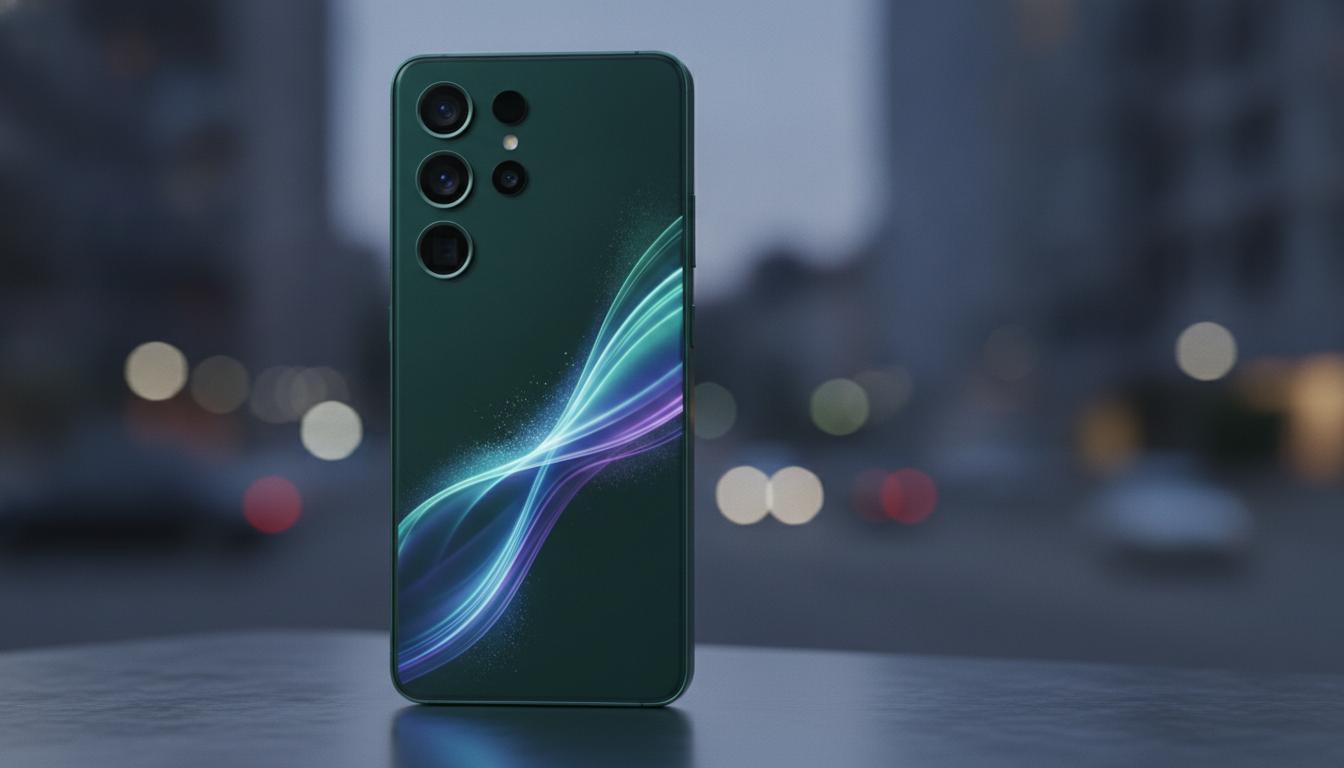
Samsung S23 in New Zealand: Specs, real-world performance, and how to choose the right model
If you like compact phones that still punch hard, the samsung s23 deserves a close look. It brings flagship power to a hand-friendly 6.1-inch size, works smoothly on New Zealand 5G networks, and has a camera that holds its own day and night. This guide explains what the phone is, how it works, how it compares to other models in the S23 family, the pros and cons, how to choose or set it up in NZ, and quick answers to common questions.
What is
The samsung s23 is Samsung’s 2023 compact flagship smartphone, part of the Galaxy S23 series. It combines a bright 6.1-inch 120 Hz AMOLED display, a Snapdragon 8 Gen 2 for Galaxy processor, and a versatile triple camera system (50 MP main, 12 MP ultra-wide, 10 MP 3× telephoto) in a pocket-friendly body. It’s IP68 water and dust resistant, supports 5G used by major NZ carriers, and ships with Samsung’s One UI on top of Android.
Key highlights at a glance:
- Performance: Snapdragon 8 Gen 2 for Galaxy, 8 GB RAM
- Display: 6.1-inch FHD+ Dynamic AMOLED 2X, 120 Hz, high peak brightness with Vision Booster
- Cameras: 50 MP main with OIS, 12 MP ultra-wide, 10 MP telephoto (3× optical), 12 MP selfie
- Battery and charging: 3900 mAh, 25 W wired, 15 W wireless, reverse wireless charging supported
- Durability: Gorilla Glass Victus 2 front/back, aluminium frame, IP68 rating
- Connectivity: 5G (Sub‑6), Wi‑Fi 6E, Bluetooth 5.3, NFC, USB‑C, eSIM support
- Software: Android with One UI; four generations of Android OS updates and five years of security updates promised from launch
For New Zealand users, the samsung s23 supports Spark, One NZ (formerly Vodafone), and 2degrees 4G/5G bands, eSIM on compatible plans, contactless payments via NFC, and Samsung Knox security features. It does not include a charger in the box.
How it works
Hardware and performance
The Snapdragon 8 Gen 2 for Galaxy is tuned for higher clock speeds than the standard chip, giving the samsung s23 fast app launches and strong gaming performance. The phone uses a vapor chamber and smart power management to keep heat in check, while the 120 Hz panel adapts its refresh rate to save battery when you’re reading and ramp up when you’re scrolling or gaming.
Display and brightness
Dynamic AMOLED 2X delivers deep blacks and vivid colours. Vision Booster adjusts tone mapping in bright sun, and the display can reach very high peak brightness for outdoor use. The 120 Hz refresh rate makes motion look smooth without a heavy battery hit during static content.
Camera processing
Behind the scenes, Samsung’s image pipeline blends optical stabilisation, multi-frame HDR, and AI scene detection. The 50 MP sensor bins pixels for better low-light shots and can shoot 8K at 30 fps, 4K at 60 fps, and detailed 3× optical zoom via the telephoto lens. Night photos benefit from improved noise reduction and colour accuracy versus earlier models.
Charging and battery life
The 3900 mAh cell, combined with efficient silicon, comfortably gets through a day for most people. 25 W wired charging and 15 W wireless charging are supported (charger sold separately). Reverse wireless charging lets you top up earbuds or a watch.
Security and software updates
Samsung Knox provides hardware-backed security and secure folders. The samsung s23 launched on Android 13 and has received Android 14 with One UI 6/6.1, including many Galaxy AI features such as Circle to Search and Live Translate. Samsung’s policy commits to four OS upgrades and five years of security patches from launch, giving the phone a long runway.
Types / examples
The Galaxy S23 family includes three main models. If you’re deciding between them in New Zealand, start with size, battery needs, and camera priorities.
| Model | Display | Battery | Main cameras | Storage options | Charging (wired) | Who it suits |
|---|---|---|---|---|---|---|
| Galaxy S23 | 6.1″ FHD+ 120 Hz | 3900 mAh | 50 MP wide, 12 MP ultra-wide, 10 MP 3× tele | 128 GB, 256 GB (8 GB RAM) | 25 W | Compact flagship fans; one‑hand use; travellers |
| Galaxy S23+ | 6.6″ FHD+ 120 Hz | 4700 mAh | Same as S23 | 256 GB, 512 GB (8 GB RAM) | 45 W | Anyone wanting a bigger screen and longer battery |
| Galaxy S23 Ultra | 6.8″ QHD+ 120 Hz | 5000 mAh | 200 MP wide, 12 MP ultra-wide, dual tele (3× & 10×) | 256 GB, 512 GB, 1 TB (12 GB RAM on higher tiers) | 45 W | Power users, S Pen note‑takers, serious zoom photography |
There’s also the Galaxy S23 FE, a more affordable spin with a larger screen and different internals. It’s good value if you want the S23 look and many features at a lower price, but camera and performance specs differ.
NZ examples and availability:
- Carriers: Spark, One NZ, and 2degrees stock the series with 5G plans, interest‑free device payments, and trade‑in promos at times.
- Retailers: PB Tech, Noel Leeming, JB Hi‑Fi, Harvey Norman, and Samsung’s online store often run bundle deals on cases, earbuds, or watches.
- Colours: Common finishes include black, cream, green, and lavender; online‑exclusive colours vary by store and stock.
Pros and cons
Pros
- Compact size without losing flagship speed
- Excellent everyday and low‑light photos; true 3× optical zoom
- Bright 120 Hz screen that stays readable in NZ summer sun
- Long software support window and strong security
- Wi‑Fi 6E, eSIM, DeX support, and robust IP68 build
Cons
- 25 W charging is slower than some rivals
- No microSD slot; base 128 GB can feel tight if you shoot lots of 4K video
- Charger not included
- Battery life is good, but power users may prefer S23+ or Ultra
How to use or choose
How to choose the right samsung s23 option in NZ
- Screen and grip: If you want one‑hand comfort, choose the samsung s23. If you stream a lot or game, the S23+ or Ultra’s bigger screens help.
- Camera needs: For long‑range zoom and S Pen features, the Ultra is unmatched. For everyday shots and reliable 3× zoom, the S23 is excellent.
- Storage: Pick 256 GB if you record 4K/8K video or keep media offline. The S23’s 256 GB variant is also faster storage than 128 GB.
- Battery: Heavy users or travellers should consider the S23+ for its larger battery and faster charging.
- Budget and plans: Compare carrier plans (Spark, One NZ, 2degrees) against buying outright at retailers. Factor in trade‑in values and bundle extras.
Step‑by‑step: Set up your samsung s23 in New Zealand
- Unbox and charge to at least 50% using a USB‑C PD or Samsung PPS charger (25 W or higher).
- Insert your nano‑SIM or add an eSIM via Settings > Connections > SIM manager (check your carrier’s eSIM app or QR code).
- Connect to Wi‑Fi and sign in with your Google and Samsung accounts.
- Use Smart Switch to transfer data from your old phone (cable or wireless).
- Update software: Settings > Software update to get the latest One UI and security patches.
- Enable NFC payments: Set up Google Wallet; Samsung Wallet availability varies by bank in NZ.
- Tweak battery settings: Enable Adaptive battery; set 60 Hz if you need more life on long days.
- Set camera defaults: Turn on grid lines, choose 4:3 for best still quality, and 4K 30/60 for video balance.
- Secure your device: Register fingerprint/face unlock and enable Find My Mobile.
Buying tips specific to New Zealand
- Check model number: Ensure the handset supports local 5G bands and eSIM. NZ stock from Samsung and major retailers will.
- Warranty and CGA: You’re covered by the manufacturer warranty and the Consumer Guarantees Act (CGA). If a serious fault appears, you may be entitled to repair, replacement, or refund beyond the standard warranty period.
- Charger and cases: Since no charger is included, consider a 25 W+ USB‑C PD/PPS charger. A slim case and screen protector help keep resale value.
- Trade‑ins and bundles: Carriers and retailers often run trade‑in credits or bundle Galaxy Buds/Watch promos—compare total value, not just monthly price.
- Refurbished units: Certified refurbished samsung s23 phones can be great value. Check battery health and return policies.
FAQ
Is the samsung s23 still worth buying?
Yes. It remains fast, takes excellent photos, and has several years of Android and security updates left. If you like smaller phones, it’s one of the best options available.
How long will the samsung s23 get updates?
Samsung committed to four generations of Android OS upgrades and five years of security updates from the 2023 launch.
Does the samsung s23 support 5G in New Zealand?
Yes. It supports Sub‑6 5G used by Spark, One NZ, and 2degrees. Coverage depends on your location and plan.
Is the samsung s23 waterproof?
It’s IP68 rated, meaning dust tight and water resistant to a depth of up to 1.5 m for up to 30 minutes in fresh water. Avoid saltwater and be sure ports are dry before charging.
Does it have a headphone jack or microSD slot?
No on both. Use USB‑C or Bluetooth for audio, and choose higher storage if you need more space.
What charger do I need?
For fastest speeds, use a Samsung PPS or USB‑C Power Delivery charger up to 25 W. It also supports 15 W wireless charging and reverse wireless charging for accessories.
Can I use two SIMs?
The samsung s23 supports eSIM and one physical nano‑SIM. Dual SIM capability depends on the specific variant; NZ models commonly support one nano‑SIM plus eSIM.
Does it support Samsung DeX?
Yes. You can use DeX wired (USB‑C to HDMI) or wirelessly with compatible displays to run a desktop‑style interface.
What about Galaxy AI features?
With One UI 6.1, the samsung s23 received many Galaxy AI features, including Circle to Search, Live Translate, and enhancements in photo editing. Availability can vary by region and carrier.
How does it compare to iPhone?
The samsung s23 offers a smoother 120 Hz display, strong cameras with true 3× optical zoom, and excellent customisation. iPhone alternatives compete on video consistency and ecosystem tie‑ins. Your choice may come down to platform preference and size.
Final take
The samsung s23 nails the basics—speed, cameras, display—and wraps them in a durable, pocket‑friendly shell. In New Zealand, it plays nicely with local 5G networks, supports eSIM, and benefits from long software support. If you want a smaller flagship without obvious compromises, this one should be near the top of your shortlist.